How to Check Your Xbox Gift Card Balance
Xbox gift cards are a great way to purchase games, add-ons, and subscriptions on the Xbox platform. However, keeping track of your gift card balance is essential to ensure you have enough funds to make purchases. Whether you’re buying a new game or renewing your Xbox Live subscription, knowing your remaining balance will help avoid any surprises. In this guide, we’ll walk you through three simple methods to check your Xbox gift card balance.
1. Checking Your Xbox Gift Card Balance on the Xbox Website
One of the easiest ways to check your Xbox gift card balance is by using the official Microsoft website. Here’s how you can do it:
- Visit the Microsoft Account Balance Page.
- Sign in using the Microsoft account that is associated with your Xbox.
- Once logged in, navigate to the “Payments & Billing” section on your dashboard.
- You’ll see your available balance listed under “Gift Cards” or “Microsoft Account Balance.”
This method works across various devices such as your phone, tablet, or desktop, making it convenient to check your balance anytime, anywhere.
2. Checking Your Balance via the Xbox Console
If you prefer to use your Xbox console directly, you can also check your gift card balance right from the comfort of your gaming setup. Follow these steps:
- Turn on your Xbox console and sign in to your Microsoft account.
- On the main menu, go to the ‘Microsoft Store’ option.
- Select ‘Redeem a Code’ or find the ‘Payment & Billing’ section.
- Your current Xbox gift card balance will be displayed on the screen.
This is a straightforward option for those already using their Xbox console and need a quick check before making a purchase.
3. Using the Xbox App
The Xbox app is another convenient way to check your gift card balance. Here’s how to do it on your mobile device:
- Open the Xbox app on your smartphone (available for both iOS and Android).
- Sign in to your account if you haven’t already.
- Navigate to your profile and select ‘Payment Options.’
- You will be able to see your available balance under the ‘Gift Card’ section.
The Xbox app allows you to manage your account on the go, making it easy to check your balance, buy games, or redeem new gift cards from your phone.
Tips for Keeping Track of Your Xbox Gift Card Balance
Managing multiple gift cards can sometimes get confusing, so here are a few tips to help you keep track of your balance:
- Save Your Gift Card Codes: Always keep a record of the gift card codes you’ve redeemed. This way, if there’s any issue, you can refer back to them.
- Check Before Large Purchases: If you’re planning to buy an expensive game or service, always check your balance beforehand to avoid insufficient funds.
- Set Reminders: If you tend to forget to check your balance, setting up a monthly reminder can be helpful, especially if you’re using gift cards regularly.
Selling Your Unused Xbox Gift Cards on CardNigeria
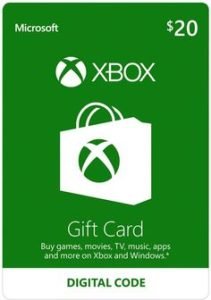
If you have an unused or partially used Xbox gift card and want to turn it into cash, CardNigeria offers a simple solution. We buy Xbox gift cards at competitive exchange rates, so you can convert your balance into cash quickly and securely. Whether you’re done with gaming or simply prefer cash over digital currency, selling your Xbox gift card on CardNigeria is a hassle-free way to get value from your card.
Conclusion
Knowing how to check your Xbox gift card balance is essential for managing your purchases on the Xbox platform. Whether you prefer checking online, using the console, or managing everything through the Xbox app, these simple methods ensure you’re always in control of your spending. And if you ever find yourself with an unused Xbox gift card, remember that CardNigeria is here to help you sell it easily and securely.