Common Nike Gift Card Errors and How to Solve Them
Nike Gift Cards are a popular choice for anyone looking to snag some fresh kicks or stylish activewear. But, as with any technology, sometimes things don’t go as smoothly as we’d like. Whether you’re trying to redeem a Nike Gift Card for the first time or you’ve been using them for a while, you might run into a few roadblocks.
Don’t worry – we’ve got you covered! In this blog, we’ll explore some of the most common Nike Gift Card errors and offer simple solutions to get you back on track. Plus, we’ll throw in a few tips to help you make the most of your gift cards. Let’s dive in!
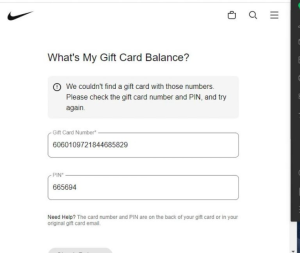
1. “Invalid Gift Card Number” Error
What It Means: This error occurs when the gift card number you entered is incorrect. It could be that a digit was mistyped, or perhaps you’re using an expired card.
How to Fix It:
- Double-check the number:Carefully re-enter the card number. Make sure no extra spaces or incorrect digits are added.
- Check the expiration date:Some gift cards are valid for only a limited time. Make sure your Nike Gift Card hasn’t expired.
- Check for physical damage:If you have a physical card, make sure the barcode or number isn’t scratched or worn down.
2. “Card Balance is Insufficient” Error
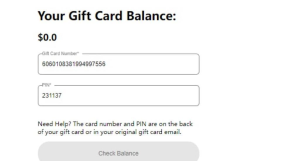
What It Means: This error pops up when the balance on your Nike Gift Card is not enough to cover the total cost of your purchase.
How to Fix It:
- Check your balance:Visit the Nike website or app to check the current balance of your gift card. If your purchase exceeds the balance, you can make up the difference with another payment method.
- Split payment:You may be able to split your payment between the gift card and another payment method, like a credit card or PayPal.
3. “Card Cannot Be Used for This Purchase” Error
What It Means: Sometimes, Nike Gift Cards cannot be used for certain purchases, like subscriptions or third-party items. This could be due to restrictions on the card or the type of item you’re trying to buy.
How to Fix It:
- Read the terms and conditions:Some gift cards are only valid for specific types of purchases, like Nike-branded products or in-store items. Make sure the item you’re trying to buy is eligible.
- Try a different purchase method:If the gift card doesn’t work for the specific product, try using a different payment method for that particular transaction.
4. “Card Already Redeemed” Error
What It Means: This error occurs if the gift card has already been redeemed, either by you or someone else. It usually happens if the code was entered multiple times, or if the card has been used before.
How to Fix It:
- Check your redemption history:Log into your Nike account and check the history of your gift card redemptions. If you’ve used the card already, the balance should appear in your account.
- Contact Nike Support:If you’re sure the card hasn’t been used and you’re still getting this error, reach out to Nike’s customer support for further assistance. They can help you resolve the issue.
5. “Network Error” or “Transaction Failed” Error
What It Means: This error happens when there’s a problem with the network or connection during the transaction. This could be a temporary glitch or a problem with the Nike website.
How to Fix It:
- Retry the transaction:Close the page or app, reopen it, and try the transaction again. Sometimes, simply restarting the process will resolve the issue.
- Check your internet connection:Make sure you have a stable internet connection. A weak or interrupted connection could cause the transaction to fail.
- Wait and try later:If the issue persists, it might be a server-side problem at Nike’s end. Give it some time and try again later.
Bonus Tips for Using Your Nike Gift Card:
- Combine Cards:If you have multiple Nike Gift Cards, you can combine their balances to make a larger purchase. It’s a great way to use up leftover balances across several cards.
- Stay Organized:Keep track of your gift card details (number, PIN, and balance) in a safe place. You never know when you might need to reference them.
- Use It Online or In-Store:Nike Gift Cards are flexible. You can use them for both online shopping and in-store purchases, so be sure to take advantage of that!
When to Sell Your Nike Gift Card
If you’re sitting on a Nike Gift Card that you don’t need or won’t use, consider selling it for cash. At CardNigeria, we offer a quick and easy way to sell your unused gift cards and get paid fast. Plus, our rates are competitive, and we guarantee a smooth process.
So, whether you’ve experienced a pesky error or simply want to cash in your unused Nike Gift Cards, visit CardNigeria today and make the most of your gift card experience!