How to Trade Items with Friends on Steam
Steam, the popular online gaming platform, offers a wide variety of ways to enhance your gaming experience. One of the coolest features on Steam is the ability to trade items with friends. Whether you’re looking to exchange skins, cards, or other in-game items, the process is relatively simple and can add a whole new layer of fun to your gaming community. Here’s a step-by-step guide on how to set up, add friends, and trade items on Steam.
1. Setting Up Your Steam Trade Settings
Before you dive into trading, make sure you have your Steam trade settings ready. Steam requires that your account be in good standing, and you must have Steam Guard enabled for at least 15 days. This ensures the safety of your trades and prevents fraudulent activities.
Here’s what you need to do:
- Enable Steam Guard:Go to Steam’s settings menu, click on “Account,” and enable Steam Guard for extra security.
- Set up a Trade URL:Visit your Steam profile, click on the “Edit Profile” button, and enable your trade offers. You can share this URL with your friends to easily exchange items.
Once your settings are in place, you’re all set to start trading!
2. Adding Friends on Steam
To trade items, you need to add someone to your friend list. Adding friends on Steam is simple:
- Sign into your Steam account andSelect the Community menu..
- Type in the username in the “Find People” Or you could simply enter your profile link instead.
- In the friends window, click on “Add a Friend.”
- You can search for your friend by their Steam name or use their friend code to send a request.
Once they accept your friend request, you can start trading items with them!
3. Trading Items with Friends on Steam
Once you’re friends, the fun begins! Here’s how to initiate a trade:
- Go to your Steam app or the website and sign in.
- Navigate to the top-right corner of the screen and tap on your username.
- There will be a drop-down list. You should select the last option “”
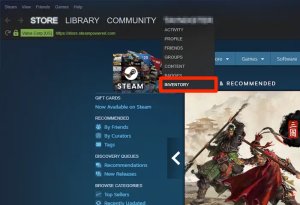
- Once you are on the Inventory page, you will see your available items under game and category.
- Scroll to the top of the screen and select “Trade Offers.”
- Click on the “New Trade Offer”
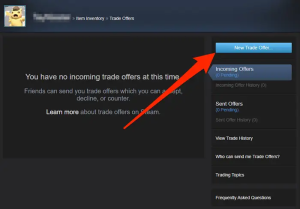
- You will be redirected to a page with your friends list.
- Select the friend you want to trade with.
- Drag the item you want to trade from your inventory page to “Your items” empty boxes.
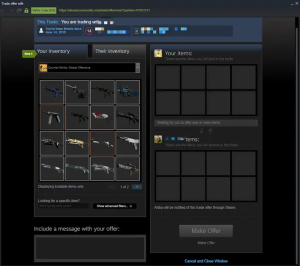
- Now, tap on the “Their Inventory”
- Choose the item you want from your friend.
- Mark the box that states “Click here to confirm trade contents.”
- Scroll to the bottom of the screen and tap on “Make Offer.”
You can trade items like game skins, trading cards, and in-game loot. The trade window will show both your items and your friend’s items. All you have to do is drag and drop the items you want to trade, and confirm the trade.
4. How to Change or Reject Trade Offers on Steam
What if you’re not satisfied with a trade offer? Steam lets you modify or reject the trade at any time before it’s finalized.
- Go to your Inventory and choose “Trade Offers.”
- Tap on “Incoming Offers”
- Click on “Respond To Offers”
- Select the Change Offer option.
- Change the trade offer to what you want.
- Tick confirm trade contents box.
- Finally, choose “Send Counter Offer”
Now that you know how to trade items on Steam, it’s time to talk about what to do with your unused gift cards. Whether you’ve got an extra Steam gift card lying around or any other type of unused gift card, you can turn it into cash with CardNigeria.At CardNigeria, we specialize in buying back unwanted gift cards from Nigerian men, providing a quick and easy way to convert your unused gift cards into real money. Visit our website and use our simple process to sell your gift cards securely. Don’t let those unused cards gather dust—get cash today!
Happy trading, and happy gaming!